Beat Piano - Music EDM Tiles
- 4.6
- Rating
- 10.00M
- Installs
- Free
- Price

 Analysis by App-foxy
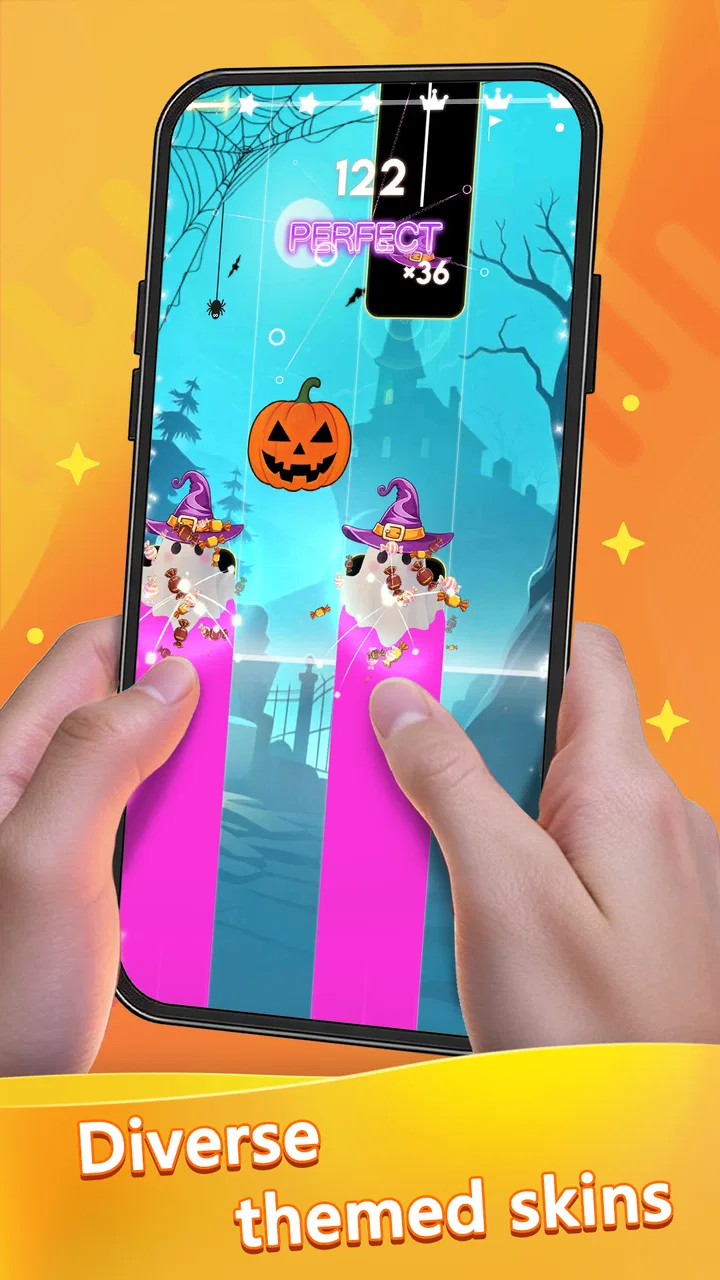
I approached Beat Piano - Music EDM expecting a quick rhythm game, and that is exactly where it makes sense. It turns the familiar piano-tile idea into a music-focused challenge: I tap the moving notes in time with the track, try to maintain a clean run, and repeat the process when my timing falls apart. It is simple to understand within moments, but the appeal comes from how quickly a relaxed session can become a serious test of concentration.
This is a free music game from Avatar GG, aimed at an Everyone audience. It has reached over 10 million installs and holds an average rating of 4.8 from around 60 thousand ratings, which suggests that the basic formula connects with a broad audience. I would not mistake that popularity for a guarantee that every player will enjoy it, though. The experience is built around short, repetitive rounds, so its value depends heavily on whether you like improving through rhythm, reaction, and repetition.
How the free experience feels in everyday use
The first thing I like about the game is its low barrier to entry. There is no complicated control scheme to learn: the screen becomes the instrument, and the challenge is to touch the right tiles as the music moves forward. That makes it suitable for a spare minute while waiting somewhere, but it also gives skilled players a reason to stay longer and chase a cleaner performance.
You May Also Like

 Blood Strike: 2.5 Anniversary
Blood Strike’s Loadouts Turn Every Drop Into a Tactical Gamble
A close look at Blood Strike’s custom loadouts: how fast access to signature weapons reshapes its battle royale rhythm, rewards preparation, and narrows the gap between fights.

 Pandora - Music & Podcasts
Pandora’s Music Is Easy to Start, but Harder to Recover
Pandora’s strength is its low-effort path from a seed to a station. Its weak spot is how much confidence it asks you to place in connection, setup, and quiet recovery.

 8 Ball Pool
 Is Built on Rivalries, Rematches, and Routine
A close look at the rivalries, rematches, shared routines, and unanswered safety questions that turn a quick pool match into a persistent mobile community.

 Samsung Music
’s Quiet Strength Is Playing What You Already Own
Its reach comes less from spectacle than from dependable access to a personal library. That simplicity is both the app’s strongest retention engine and its ceiling.

 AccuWeather: Weather Radar
AccuWeather Review: A Quick, Clear Forecast for Everyday Decisions
For everyday plans, the best forecast is the one you can understand quickly. AccuWeather makes rain timing, radar, and local conditions easy to act on, with a few trade-offs.

 Hill Climb Racing
Why Hill Climb Racing Still Turns Crashes Into One More Run
A tiny car, a bumpy hill and one more upgrade: Hill Climb Racing keeps resurfacing because its simple chaos makes every near-miss feel personal.
More From Our News Desk



In practical use, I would open it during a short break rather than treat it like a long-form adventure. A typical session can begin casually, with me listening to the beat and tapping along without much pressure. After one mistake, however, the instinct is to try again immediately. I start noticing where my timing slipped, whether I reacted too early, and whether the next sequence requires a more deliberate rhythm instead of frantic tapping.
That retry loop is the central strength of rhythm gameplay here. The controls are easy enough for a beginner, but the music gives each attempt a different mental feel. A slower passage may reward patience, while a busier section demands that I stop thinking about individual taps and follow the pattern as a whole. The game therefore works best when I treat it as a timing exercise, not merely a test of how quickly I can move my finger.
The music-focused presentation also changes how the game feels compared with ordinary reflex titles. In a standard tapping game, I may concentrate only on avoiding mistakes. Here, the beat gives me an external reference. When my taps line up with the track, the round feels satisfying even before I think about the result. When they do not, the problem is easier to identify: I am out of sync, rushing, or allowing the visual movement to distract me from the sound.
One useful habit is to play with a steady posture. I get more consistent results when I hold the phone securely, keep my tapping hand relaxed, and avoid covering too much of the display with my palm. That may sound obvious, but rhythm games punish small physical inconsistencies. A cramped grip can make a sequence feel harder than it really is, especially when I am trying to react quickly near the edge of the screen.
What the free price really means
The important cost distinction is straightforward: the game is free to download and play, while optional in-app purchases range from $0.99 to $9.99 per item. That means I can test the core experience without paying first. For someone deciding whether this type of game is enjoyable, that is a meaningful advantage because the basic tapping loop reveals its strengths almost immediately.
Free access does not automatically mean unlimited value for every player. If I enjoy repeating songs, refining timing, and playing in short bursts, I can get useful entertainment without spending anything. If I expect a large, constantly changing music library or a deep progression system, I should be more cautious about committing money. The purchase range tells me that paid items exist, but it does not by itself make them necessary for enjoying the game.
I would treat any purchase as a convenience or extra-content decision rather than an entry fee. First, I would play enough free sessions to decide whether the controls feel comfortable and whether the available music suits my taste. Only after that would I consider spending. This is particularly important for a game whose main activity is repetition: if the basic loop already feels tiring after a few attempts, a purchase is unlikely to fix that underlying issue.
There is also a practical benefit to the free starting point for families. Because the content rating is Everyone, the game is positioned as accessible to a wide audience. Still, anyone managing a shared device should remember that optional purchases are available. The sensible approach is to decide in advance whether spending is allowed, rather than making that decision in the middle of an enthusiastic retry streak.
Where it delivers more than the short description suggests
The obvious value is the immediate music-and-tapping combination, but I find the more interesting benefit in how it trains attention. I can use a round as a short focus reset: instead of scrolling through unrelated content, I listen for a beat and give the screen my full attention. That makes it a reasonable choice for a quick mental break, provided I want an active break rather than something passive.
Another less obvious strength is the way it exposes my own timing habits. I tend to rush when a sequence looks fast, even when the music itself is steady. Playing repeatedly makes that tendency visible. I have to learn to trust the rhythm rather than react to visual pressure. That is a small but real form of skill development, and it gives the game more staying power than a one-touch novelty.
I also find it useful as a casual introduction to rhythm games. Someone who has never played this kind of title can understand the objective without reading a long tutorial. A friend can pick up the phone, watch the tiles, and begin. The learning curve is gentle at the start, but improvement still depends on practice, which creates a natural bridge between beginner play and more focused sessions.
For younger players, the simple control idea can be appealing, but I would not assume that the Everyone rating makes it ideal for every child. A child who enjoys music and repeated challenges may have fun, while one who becomes frustrated by missed taps may lose interest quickly. The game is better suited to players who can treat failure as part of the process instead of expecting to succeed immediately.
The current version is 1.92.2, and the game supports devices running Android 7.0 or later. That makes compatibility a relevant checkpoint before installing it on an older phone or tablet. I would also consider the physical screen: a very small display may make precise tapping less comfortable, while a larger one can make the tile paths easier to follow.
Trade-offs compared with other music games
Compared with a conventional piano-learning app, this is much more about reaction and entertainment than musical instruction. I would not use it to learn scales, read notation, or develop proper keyboard technique. Its strength is the instant feedback of matching taps to a track, not teaching me how to play a real piano.
Compared with a full rhythm game built around complex controls, Beat Piano feels more approachable. I do not need to memorize several button combinations or spend a long time learning a specialized interface. That simplicity is valuable when I want a quick session, but it can also become a limitation. Players who prefer deep systems, elaborate progression, or a broader range of input styles may find the tile format too narrow.
It also differs from simply listening to music. Passive listening is better when I want to relax without concentrating. This game asks me to participate, and that can be energizing, but it means I cannot enjoy it in quite the same way while multitasking. If I am cooking, commuting in a crowded place, or trying to conserve attention, a music player is the more practical choice.
The biggest trade-off is repetition. The same basic action—tap in time—drives every session. That is precisely why the game is easy to pick up, but it is also why some players will reach their limit quickly. I would skip it if I need a story, exploration, social strategy, or a sense of constantly changing objectives. The game is focused, and that focus is either its best quality or its main weakness depending on my expectations.
Another consideration is precision. Touchscreen rhythm games can feel less forgiving than physical controls because the phone has no tactile buttons. I sometimes find myself looking at the screen more intensely than listening to the music, especially after a mistake. To get the best experience, I need a comfortable grip and a quiet enough setting to follow the beat. That is not a flaw unique to this title, but it affects whether the format feels satisfying.
Who is most likely to get good value
I think the strongest audience is anyone who likes music-based challenges but wants an uncomplicated entry point. Casual players can enjoy a few rounds without learning a complicated system, while more determined players can focus on accuracy and consistency. The free price makes it especially easy to test, and the Everyone rating broadens its appeal for households looking for a light game.
It is also a good fit for people who prefer short sessions. I can play while waiting for an appointment, take a few attempts during a work break, or use it as a quick change of pace between longer games. The important point is that the game does not need to become a major daily commitment to be worthwhile. Its value can come from those small, repeatable moments.
Players who already enjoy piano-tile games will understand the appeal immediately, but they should still ask whether the music selection and presentation keep the familiar formula interesting. The game is not the right choice merely because the concept is recognizable. Its success depends on whether the tracks make me want to continue after a mistake instead of closing the app.
I would recommend trying it for free before considering any optional item. During that trial, I would pay attention to three things: whether the tapping feels reliable on my device, whether I enjoy hearing the music repeatedly, and whether improving my timing feels rewarding. Those answers are more useful than popularity figures when deciding if it belongs on my phone.
I would skip it if I want a serious music-education tool, a narrative game, or a broad multiplayer experience. I would also look elsewhere if my main priority is a game with complex progression and many different mechanics. A dedicated piano-learning application would be better for lessons, while a more elaborate rhythm title would suit someone seeking variety beyond tile tapping.
My verdict after weighing the value
My overall view is positive, but it is specific: this is a good free option for quick, music-driven reaction play, not an all-purpose music app. Avatar GG keeps the central idea easy to understand, and that makes the game friendly to newcomers. The combination of familiar piano-tile controls and beat-based timing gives each attempt enough personality to support repeated play.
The free entry point is the clearest reason to try it. I can find out quickly whether the rhythm, touch controls, and music style suit me without paying upfront. Optional purchases between $0.99 and $9.99 per item mean I should keep spending deliberate, especially because the core loop may be all I need. I would only pay when I already know that the game has earned more of my time.
Its limitations are just as clear. Repetition can wear thin, touchscreen precision is not perfect for everyone, and the simple format will not satisfy players searching for lessons, story, or deep systems. Those are not reasons to reject it outright; they are reasons to choose it for the right situation.
For me, the best reason to install it is the combination of free access and immediate rhythm practice. I can use it for a focused five-minute break, return when I want to improve a difficult pattern, and stop without feeling that I have begun a huge commitment. If that sounds like the kind of small, active entertainment you want, Beat Piano - Music EDM is worth trying. If you need more than tapping to music, I would save the storage space for a different kind of game.
FAQs for Beat Piano - Music EDM Tiles
01What is Beat Piano - Music EDM, and how does it work?
Beat Piano - Music EDM is a rhythm-based mobile game that combines the excitement of electronic dance music with the challenge of a piano game. Players tap on tiles that correspond to the beat of the music, aiming to score points and achieve high scores. The game features a variety of EDM tracks, offering players an engaging musical experience.
02Is Beat Piano - Music EDM free to play, or are there in-app purchases?
Beat Piano - Music EDM is free to download and play, but it does offer in-app purchases. These purchases can include additional songs, special features, and ad-free gameplay. While the basic version provides plenty of content, some players may choose to enhance their experience by purchasing these optional extras.
03What devices are compatible with Beat Piano - Music EDM?
Beat Piano - Music EDM is available for both Android and iOS devices. It is designed to run smoothly on most modern smartphones and tablets. To ensure the best gaming experience, it is recommended to have the latest software updates installed on your device.
04Does Beat Piano - Music EDM require an internet connection to play?
Beat Piano - Music EDM can be played offline, making it a great option for on-the-go entertainment. However, an internet connection is needed to download new songs and access certain features, such as leaderboards and in-app purchases. Playing online also allows users to compete with friends and other players globally.
05How can I improve my skills in Beat Piano - Music EDM?
Improving your skills in Beat Piano - Music EDM involves regular practice and developing a good sense of rhythm. Start with easier tracks to build confidence and gradually progress to more challenging songs. Paying attention to the beat and practicing consistently will help you enhance your timing and accuracy, leading to higher scores.
Pros
- Engaging rhythm-based gameplay.
- Wide selection of popular EDM tracks.
- Responsive touch controls.
- Visually appealing graphics.
- Frequent updates with new songs.
Cons
- Limited offline play options.
- Advertisements can be intrusive.
- In-app purchases are pricey.
- Requires stable internet connection.
- Some songs lack difficulty variety.

Beat Piano - Music EDM Tiles
Gallery